
Download Quick Google Scroll – Google, Chrome, drag, scroll, navigation, mouse, browsing, web, tool, utility
Overview
Quick Google Scroll is a lightweight utility tool designed to enhance web navigation through intuitive mouse-based interaction. Originally released in 2010, this Chrome extension enables users to scroll through webpages simply by dragging the mouse cursor, offering an alternative to traditional scroll bars or trackpad gestures. The app targets individuals seeking a smoother, more responsive browsing experience, particularly those who spend extended periods navigating long articles, e-commerce sites, or data-heavy web applications.
While the developer, Jason K. Menard, has not provided additional background on their professional history, the tool’s enduring presence in the Chrome ecosystem suggests a focus on usability and efficiency. Real-world use cases include content researchers, online shoppers, and digital note-takers who benefit from faster, more fluid page movement.
In the broader context of browser-based tools, Quick Google Scroll fills a niche by simplifying navigation without requiring complex setup or system-level changes. Despite its age, the app remains relevant for users who value minimalism and direct control over their browsing workflow.
Key Features & Functionality
- Mouse Drag Navigation: Users can initiate scrolling by clicking the extension icon and dragging the mouse cursor vertically across the page. This method replaces reliance on scroll wheels or trackpads, offering a continuous motion that can feel more natural for some users.
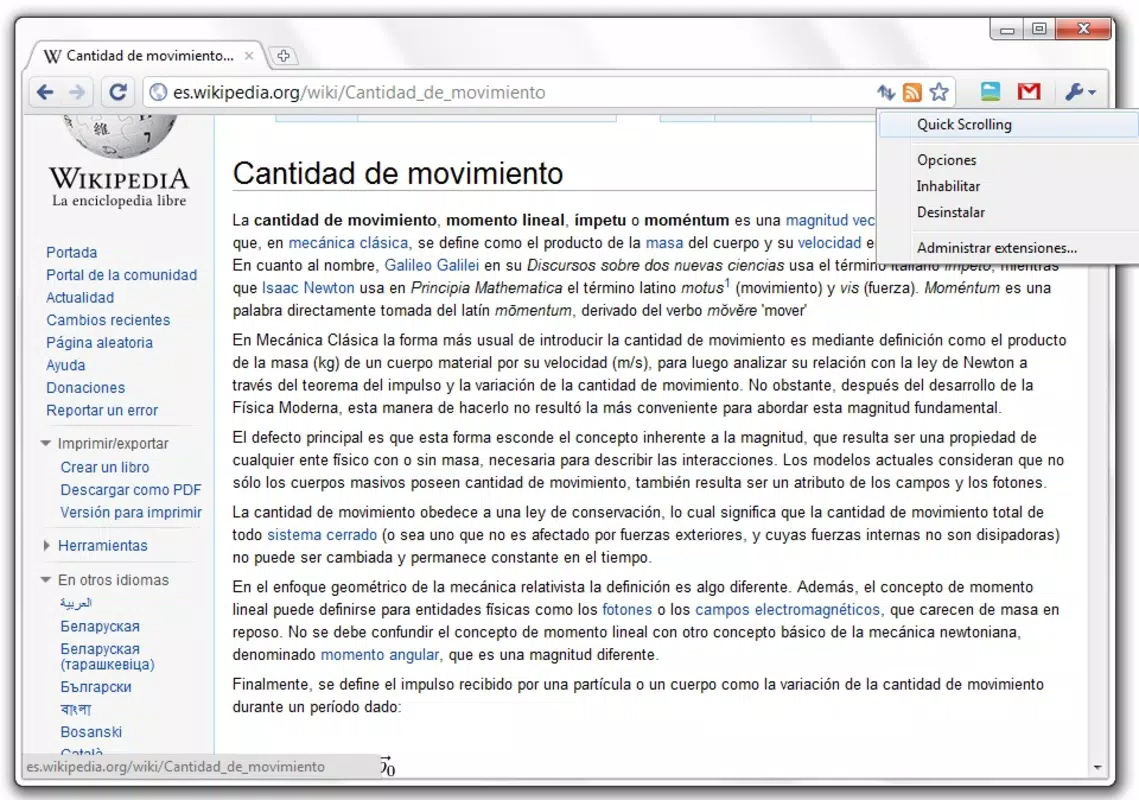
- Easy Activation: The extension features a simple toggle mechanism. Clicking the icon in the Chrome toolbar activates or deactivates the drag-to-scroll function instantly, allowing users to switch modes based on their current task or preference.
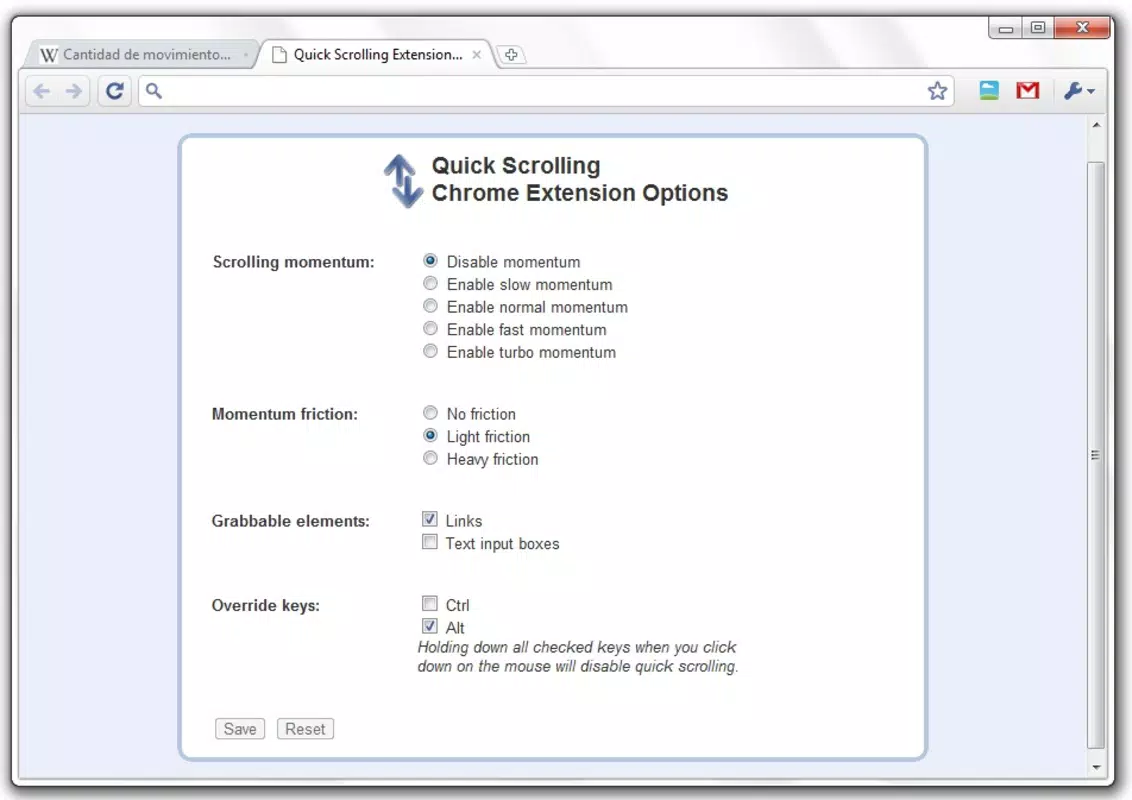
- Customizable Settings: Users can adjust response time, scrolling speed, and define which page elements are draggable. This level of control ensures the feature adapts to different browsing contexts, such as interactive forms or embedded videos.
- Keyboard Shortcuts: The tool supports customizable keyboard shortcuts, enabling users to activate or deactivate the drag function without reaching for the mouse, thereby improving workflow efficiency during prolonged sessions.
For example, a user reading a lengthy research paper can enable drag-to-scroll and navigate smoothly through sections with minimal hand movement. Similarly, someone browsing a product catalog can quickly skim through multiple listings using fluid mouse motion, reducing fatigue and increasing engagement.
Interface, UX & Performance
Quick Google Scroll maintains a minimal interface consistent with Chrome extension standards. The icon is compact and clearly labeled, ensuring visibility in the browser toolbar without clutter. Navigation is straightforward—clicking the icon toggles the feature on or off, with no additional menus required.
The user experience is streamlined for speed and simplicity, aligning with the app’s utility-focused design. Although the developer did not list formal performance metrics, the app’s small file size of 1.2 MB suggests low resource consumption. It is expected to operate efficiently on a range of devices, including older systems, due to its lightweight nature.
Responsiveness is likely to be immediate, as the functionality relies on browser-level event handling rather than heavy processing. Stability appears consistent with long-term use, given the app’s release date and continued availability. No reports of crashes or conflicts were found in the public record, though compatibility with newer Chrome versions was not explicitly confirmed.
Platform Compatibility & Technical Requirements
Quick Google Scroll is designed exclusively for the Chrome browser. It operates on both desktop and mobile versions of Chrome, though specific device compatibility was not disclosed. The app has a file size of 1.2 MB and runs under version 1.0.0.
The developer did not specify minimum OS requirements or supported platforms beyond Chrome. As such, users should ensure their Chrome browser is updated to maintain functionality. No additional system resources or permissions are reported.
The app does not require installation outside the Chrome Web Store, and updates are managed automatically through the browser’s extension system.
Pros and Cons
Pros
- Lightweight with minimal impact on system performance
- Simple, intuitive interface with one-click activation
- Customizable settings for scrolling speed and response time
- Supports keyboard shortcuts for faster toggling
- Free to download and use with no in-app purchases
Cons
- Developer did not provide detailed technical specifications
- Compatibility with newer Chrome versions not confirmed
- Only available for Chrome, limiting cross-browser use
- No visible feedback or visual indicators during drag mode
- Functionality is limited to mouse-based scrolling, no touch support
FAQ
Is Quick Google Scroll safe to install?
Yes, the app is hosted on the official Chrome Web Store and does not require elevated permissions. It operates within the browser’s security sandbox, minimizing risks to user data.
Can I use Quick Google Scroll on mobile devices?
While the extension is available on Chrome for mobile, specific functionality may vary. The drag-to-scroll feature is primarily optimized for desktop use, and touch-based interaction is not supported.
Does Quick Google Scroll work with all websites?
It is designed to function on most standard webpages. However, some sites with custom scroll handlers or embedded content may not respond as expected.
How do I update Quick Google Scroll?
Updates are managed automatically through the Chrome browser. When a new version is available, it will be installed silently in the background.
Is there a desktop version of this app?
Quick Google Scroll is a browser extension, not a standalone desktop application. It runs within the Chrome browser and does not require a separate installation.
Final Thoughts
Quick Google Scroll remains a niche but effective tool for users who prioritize smooth, gesture-based navigation. Its minimal design, low resource usage, and straightforward functionality make it ideal for individuals seeking a faster alternative to traditional scrolling. While its age is evident in the lack of modern UI elements and touch support, the app continues to deliver on its core promise: simplifying web navigation.
For power users and long-time Chrome enthusiasts, it offers a practical way to reduce repetitive hand movements and enhance browsing comfort. Though not suited for everyone, it stands out in the productivity category as a reliable, no-frills utility. Download Quick Google Scroll now.


